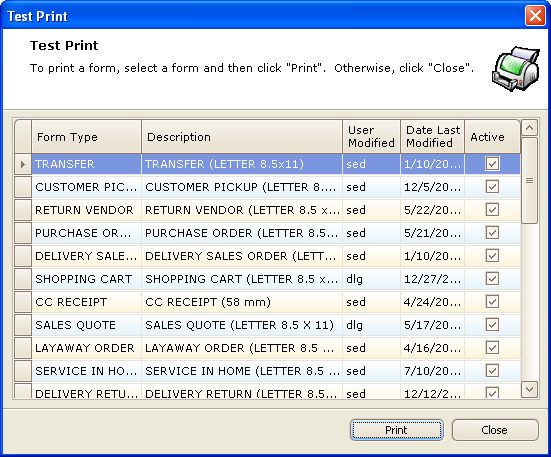
Use this routine to print a test page of a selected form. This is useful if you modify a form design and you need to check the alignment of the form elements.
Test Print
Once you select this program from the menu, the Test Print window displays a grid listing all forms, including standard STORIS forms and user-designed forms.
To print a test page, click to select a Form Type from the grid, and then click the Print button at the bottom of the window.
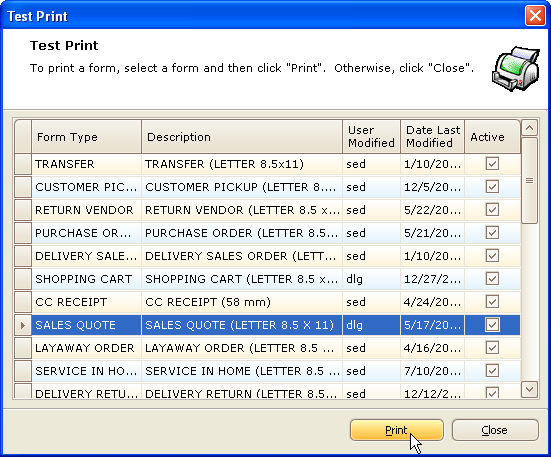
Depending on the Print Settings established, the test page with either print to the default printer, print to the selected printer, or the printer will be selected from the print dialogue window.
The test page will not print actual data, but will print XXX's and 999's, indicating where the text and numerical data will print on the form. (A sample is shown below.) This test page can then be used to determine if the alignment of the data is correct for this form. If further adjustments are necessary, return to the Design Enhanced Laser Forms (Design Laser Printer Forms) process.

You may be able to use one or both of the following options from the Print dialogue window to print the form to a file that can be viewed on your screen.
Option 1: Depending on your version of Microsoft Office, the Microsoft Office Document Image Writer® may be available in the Printer "Name" field . Select this option and click the "Print to file" check-box. Next, enter the File Name. A test page of the form will then display on your screen in the Microsoft Document Imaging program.
Option 2: If Acrobat is installed on your PC, you should have the option of selecting Adobe® PDF as the Printer "Name." Check the "Print to file" box and specify a "pdf" File Name. The test page can then be viewed using the Adobe Reader.
 Important!
When using either of the alternate print preview options mentioned above,
some elements of the form (labels, lines, etc.) may not display on the
screen exactly as they would when printed to a physical printer. This
is an issue with the Microsoft or Adobe software, not STORIS. STORIS does
not support either of these software packages. For a final test of the
form layout, it is recommended that you test print the form on a printer.
Important!
When using either of the alternate print preview options mentioned above,
some elements of the form (labels, lines, etc.) may not display on the
screen exactly as they would when printed to a physical printer. This
is an issue with the Microsoft or Adobe software, not STORIS. STORIS does
not support either of these software packages. For a final test of the
form layout, it is recommended that you test print the form on a printer.