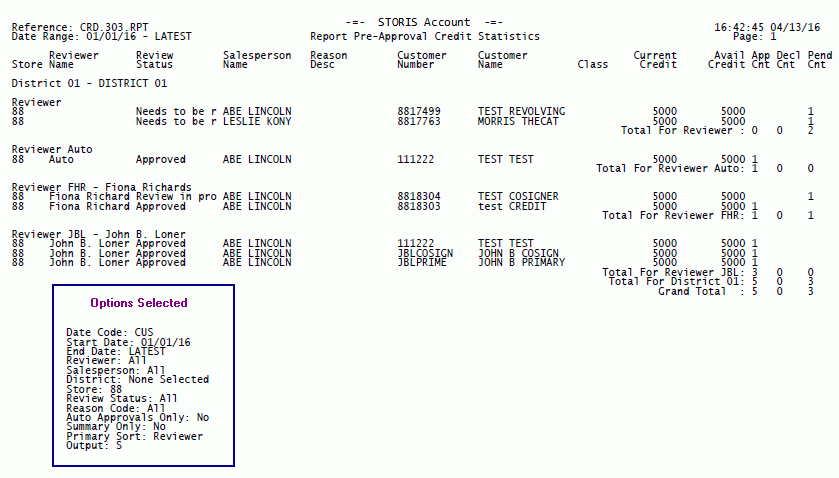
The Options Selected box below displays the selected run-time options for this sample, but does not appear when you run the actual report. The run-time options you select for each report appear on the last page of your report output.
 To return to the original report topic, click on the browser's Back button above.
When output is set to Excel, a column labeled "Source" is present after the "Pend Cnt" column. The Source column displays how the credit application was submitted:
-Empty - The credit application was submitted in-store (via STORIS).
-Kiosk - The credit application was submitted via an in-store kiosk.
-[IP Address] - The credit application was submitted via the web. The IP address displayed is that of the PC the customer used when submitting the application.